
AI Business Makeover: See What Done On Command Can Build for a Business
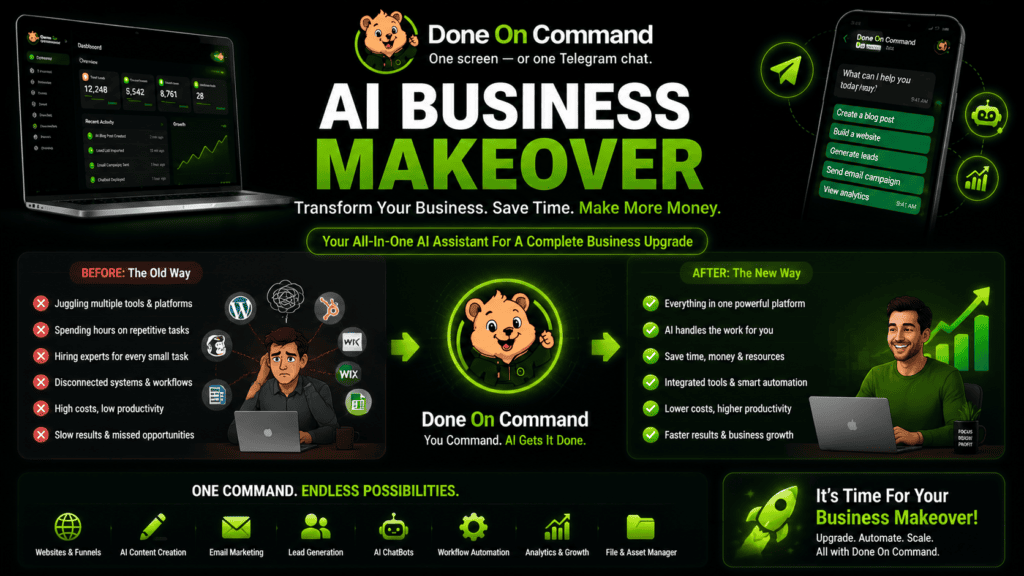
An AI Business Makeover is a complete collection of marketing assets created around one business, one brand identity, and one shared business memory.
Instead of generating a single page or social post, Done On Command begins by learning about the business. It can then use that information to create a connected website, branded images, promotional videos, email campaigns, social content, lead-generation tools, and an AI-powered Front Desk.
The AI Business Makeover Showcase lets visitors explore this process from the first command to the finished assets. It displays the instructions entered into Done On Command alongside the results that came back, including live pages and interactive lead magnets.
For a complete breakdown of the platform, pricing, and limitations, read our Done On Command review.
CommandAIHub.com is an independent affiliate information website. We may earn a commission if you purchase through one of our links, at no additional cost to you.
What Is an AI Business Makeover?
An AI Business Makeover is not simply a website redesign.
It is a coordinated marketing build that can include:
- A stored business and brand profile
- A website or landing page
- Branded promotional images
- A spokesperson video
- An edited talking-head video
- An email campaign
- Scheduled social media posts
- A quiz or calculator for lead generation
- A customer-facing website chatbot
The main difference is that these assets are created from the same business memory.
The logo used on a page can also appear in the images. The writing style used in an email can match the business voice used on the website. The lead magnet can connect to the same offer being promoted in the video.
In simple terms, the makeover is designed to create a connected marketing system rather than a pile of unrelated AI outputs.
How the Business Makeover Begins
The process starts with a business website URL.
Done On Command reads the available website information and builds a persistent memory containing details such as:
- Logo
- Color palette
- Fonts
- Writing voice
- Products
- Services
- Offers
- Business information
Every department can then work from that shared memory.
For example, the fitness-studio showcase begins with a website scrape that identifies the studio’s branding and voice. The same information is then used across its published website, branded images, videos, email campaign, social posts, lead magnet, and Front Desk chatbot.
This matters because most AI workflows begin from scratch each time. The user may need to upload the logo again, paste the same offer details, and repeatedly explain the desired tone.
Persistent memory is intended to reduce that repetition.
What the AI Business Makeover Showcase Includes
The showcase currently contains three staged business examples:
| Showcase business | Industry | Examples displayed |
|---|---|---|
| Marigold Movement Studio | Fitness | Website, landing page, images, videos, email, social posts, quiz, and chatbot |
| Harborlight Dental Studio | Dental | Offer page, chat-based edits, images, promo video, email, calculator, and chatbot |
| Cedar & Ember | Restaurant | Website with menu, images, spokesperson video, email, quiz, and chatbot |
These are fictional demonstration businesses, not customer testimonials or client case studies. The showcase states that real staged websites were used for the scraping process and that the displayed outputs are unretouched product outputs.
That distinction is important. The showcase demonstrates what the platform produced in controlled examples; it does not prove that every user will receive identical results.
Website and Landing-Page Creation
The makeover examples show Done On Command creating both complete websites and individual offer pages.
The fitness-studio example includes a three-page website with Home, About, and Contact pages. It also includes a separate landing page created from an uploaded design reference. The finished pages were published with working navigation and live URLs.
The dental example takes a different approach. It creates one landing page for a new-patient offer and then edits that page through a conversational command. The offer is made more prominent, an explanatory section is added, and the revised page is published.
This shows two possible workflows:
- Describe a complete page or website from scratch.
- Create a first version and improve it by chatting with the platform.
Branded Image Creation
The showcase includes social-ready graphics created around each business.
These images use the active business identity and can include the real brand logo placed on the finished asset. The fitness example also demonstrates an instruction to create an image without branding, showing that the logo can be excluded when requested.
The dental makeover includes a simpler image-editing task: adding specific text to an uploaded photograph. The showcase notes that this basic overlay does not require an AI-generation action.
Users should still inspect generated graphics carefully. Text, colors, logos, hands, product details, and small visual elements can require correction.
Promotional and Spokesperson Videos
Video is one of the more prominent parts of the AI Business Makeover.
The examples include:
- A spokesperson video created from one uploaded photograph
- A new promotional video created without supplied footage
- An uploaded talking-head clip turned into a polished edit
- Automatic voiceover
- B-roll cutaways
- Synced captions
- Brand watermarking
In the fitness example, a spokesperson photograph is used to create a landscape promotional video. The restaurant example produces a vertical spokesperson video and selects a voice without the command specifying either orientation or voice.
These examples allow visitors to judge the displayed video quality for themselves rather than relying only on a feature list.
The finished output should still be reviewed for pronunciation, captions, factual accuracy, visual realism, and brand suitability.
Email Campaigns and Approval Controls
The makeover does not stop after drafting an email.
Done On Command can prepare the campaign, connect it to a page created during the same workflow, and place the send behind an approval gate.
The fitness showcase displays an email campaign drafted around its six-week offer. The dental example includes a campaign scheduled for a specific date and time. In both cases, the campaign waits for approval before it can be sent.
This approval process is one of the most important parts of the workflow.
Before approving an email, users should check:
- Recipient list
- Subject line
- Prices
- Dates
- Links
- Offer details
- Contact information
- Legal or affiliate disclosures
AI may help prepare the campaign, but the user remains responsible for the final send.
Social Media Scheduling
The fitness makeover demonstrates a short command asking the platform to schedule the month’s social posts.
The resulting workflow includes a content plan, branded images, scheduled posts, business-time-zone scheduling, and separate approval controls for each post.
This can reduce the work involved in moving content from an AI writer into a graphic tool and then into a separate scheduling platform.
However, each post should still be adapted to the network where it will appear. A LinkedIn post, Instagram caption, and TikTok concept should not automatically use identical wording or structure.
Quizzes, Calculators, and Lead Capture
The AI Business Makeover examples include working lead-generation tools.
The fitness business receives a readiness quiz that provides a personalized starter plan. The dental practice receives a calculator comparing a membership with pay-per-visit costs. The restaurant receives a dish-matching quiz that ends with an invitation to visit.
These are published as interactive tools rather than static drafts.
Lead magnets can be useful because they give visitors a reason to participate instead of simply asking them to complete a generic contact form.
Done On Command can build the tool, but it cannot guarantee traffic, completed forms, appointments, or sales.
AI-Powered Front Desk
Each showcase business includes a Front Desk chatbot embedded on its website.
The chatbot answers questions using information from the business knowledge base. The examples also test questions for which the business has not supplied an answer.
In those cases, the intended behavior is to acknowledge that the information is unavailable and direct the visitor toward the business’s contact details rather than inventing an answer.
That is a useful safeguard, but the knowledge base still needs regular maintenance. Business hours, menu items, prices, services, and policies can change.
Free Webinar and Registration Extras
The AI Business Makeover campaign includes two live webinar sessions:
- Monday, August 3, 2026, at 8:00 PM Eastern
- Tuesday, August 4, 2026, at 10:00 AM Eastern
The Done On Command cart is scheduled to open on August 4 at 11:00 AM Eastern.
Free registration is intended to provide access to:
- The AI Business Makeover Showcase
- The live webinar sessions
- The Retainer Calculator
- An additional 500 first-month credits when an eligible purchase is made during the live event
The Retainer Calculator is a planning tool for estimating the potential value of selected marketing services and client counts. It should not be treated as an earnings promise. Actual service prices vary by location, experience, scope, client, and market demand.
Who Should Explore the AI Business Makeover?
The showcase may be particularly useful for:
- Freelancers considering broader service packages
- Agencies managing several client brands
- Local business marketers
- Affiliate marketers creating complete campaigns
- Coaches and course creators
- Social media managers
- Web designers and copywriters
- Solo business owners exploring AI-assisted marketing
It may also help someone decide whether the platform’s output style fits their standards before considering a purchase.
Important Limitations
The showcase should be evaluated with realistic expectations.
- The displayed businesses are staged demonstrations.
- They are not customer success stories.
- Results from another business may look different.
- AI-generated assets may require revisions.
- Users must verify prices, dates, links, and claims.
- Email and social delivery require supported connected accounts.
- The platform does not guarantee leads, clients, sales, or revenue.
- Webinar bonuses and availability may be limited to the stated event period.
The biggest mistake people make is treating a demonstration as a promise of identical future results.
A better approach is to inspect the commands, examine the resulting assets, and decide whether the workflow would be useful for the type of business you manage.
Final Thoughts
The AI Business Makeover is a practical way to understand Done On Command because it shows several departments working around one business memory.
Instead of looking at isolated features, visitors can follow the complete path:
- Add the business.
- Build its memory.
- Create the website and campaign assets.
- Review each result.
- Approve the work.
- Publish, schedule, or deliver it.
The strongest part of the concept is consistency. Pages, videos, images, emails, social posts, lead magnets, and chatbot responses can all begin from the same understanding of the business.
The showcase does not prove that every output will be perfect. It does provide a clearer way to inspect what the platform can create before making a decision.